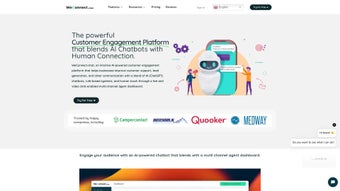

Download WeConnect chat – AI chatbot platform for businesses
WeConnect.chat is a versatile, AI‑driven chatbot platform that merges conversational intelligence with a powerful video‑chat overlay. Designed specifically for small‑to‑medium enterprises as well as larger corporations, the service lets you build, train, and deploy custom chatbots without writing a single line of code. Whether you need to automate routine support tickets, capture high‑quality leads, or showcase product demos through live video, WeConnect.chat offers a unified dashboard that centralises text, voice, and video interactions across web, mobile, and desktop environments.
The subscription‑based model provides regular updates, secure data handling, and seamless integration with popular CRMs, help‑desk tools, and marketing automation suites. In short, it is a one‑stop solution for businesses that want to modernise their communication stack while keeping the experience personal and engaging. The platform’s cloud‑native architecture guarantees high availability, while end‑to‑end encryption and GDPR‑ready storage keep data safe.
By combining a drag‑and‑drop builder, a hybrid AI engine, and embedded video, WeConnect.chat reduces the need for multiple disparate tools, cutting both operational costs and the learning curve for non‑technical staff. This overview sets the stage for a deeper dive into the features, installation process, compatibility, and real‑world suitability of the software, helping you decide if it aligns with your organisation’s digital‑first strategy.
Core Features That Set WeConnect.chat Apart
- Drag‑and‑Drop Bot Builder: An intuitive visual editor lets you create conversation flows, add conditional logic, and connect external APIs with a few clicks. The canvas supports real‑time preview, making it easy to test interactions before they go live.
- Hybrid AI & Rule‑Based Engine: Combine natural‑language understanding with deterministic rules to guarantee accurate responses in critical scenarios such as financial inquiries or compliance‑related questions.
- Embedded Video Chat: High‑definition, low‑latency video sessions can be launched directly from the chatbot window for product demos, onboarding, or live support, creating a seamless hand‑off between text and face‑to‑face interaction.
- Multi‑Channel Dashboard: Manage conversations from web widgets, landing pages, mobile apps, and social platforms all in one place, providing agents with a holistic view of customer interactions.
- Agent Notification Hub: Real‑time alerts route complex queries to human agents, preserving context and reducing hand‑off friction while ensuring that high‑value customers receive immediate attention.
- Seamless Integrations: Out‑of‑the‑box connectors for Salesforce, HubSpot, Zendesk, Slack, and dozens of other SaaS tools accelerate data flow and eliminate manual entry.
- Custom Data Sets: Upload CSV, JSON, or connect to databases so the bot can answer product‑specific or policy‑specific questions with up‑to‑date information.
- Analytics & Reporting: Track engagement metrics, conversion rates, and video‑chat duration to continuously optimise performance and demonstrate ROI to stakeholders.
- Security & Compliance: End‑to‑end encryption, GDPR‑ready data storage, and role‑based access control keep your information safe and meet regulatory requirements.
- Scalable Pricing: Tiered subscription plans let you start small and grow as your conversational traffic increases, with the option to add premium modules such as advanced AI fine‑tuning or dedicated support.
Installation, Configuration, and Compatibility
Getting started with WeConnect.chat is deliberately straightforward, reflecting the platform’s “no‑code” philosophy. After purchasing a subscription, you receive a secure login link to the web‑based admin console. Because the service is entirely cloud‑hosted, there is no local software to install on Windows, macOS, Android, or iOS devices. Simply log in from any modern browser and follow these steps to launch your first chatbot:
- Create a New Bot: Click “New Bot,” give it a name, and select the underlying engine – pure AI, rule‑based, or a hybrid combination that best fits your use case.
- Design the Conversation: Use the drag‑and‑drop canvas to add user intents, bot replies, quick‑reply buttons, and conditional branches. The live preview updates as you edit, allowing instant validation of the flow.
- Integrate Data Sources: Upload a CSV product catalog, connect a JSON API, or link directly to a relational database. The platform automatically maps fields to variables you can reference in bot responses.
- Enable Video Chat: Toggle the video module, customise the welcome screen, and define agent availability windows. You can also set recording preferences for compliance purposes.
- Deploy the Bot: Generate a JavaScript snippet or an iframe code and paste it into your website’s footer, or use the native mobile SDKs for Android and iOS to embed the chatbot directly within native apps.
- Train the AI: Run the “Training” wizard, which analyses your data set and creates intent models. Fine‑tune the model by labelling example phrases and adjusting confidence thresholds.
- Monitor & Iterate: The dashboard displays live chat queues, video‑call logs, and performance charts. Use these insights to adjust bot logic, add new FAQs, or optimise video‑chat routing.
Since the platform lives in the cloud, updates are rolled out automatically—no manual patching required. Users enjoy a consistent experience across devices, and the same admin console works on Windows laptops, MacBooks, Android tablets, or iPhones. For teams that need deeper customisation, WeConnect.chat offers a webhook system that fires on specific events (e.g., “lead captured” or “video call ended”), allowing you to trigger downstream workflows in your ERP or marketing automation stack. The solution also supports single sign‑on (SSO) via SAML or OAuth, making it easy to integrate with existing corporate identity providers.
Pros, Cons, and Real‑World Suitability
WeConnect.chat is fully compatible with all major operating systems, including Windows 10/11, macOS Ventura and later, Android 8.0+, and iOS 13+. Because the service is accessed through a web browser, the underlying OS only matters for the client‑side SDKs used in native mobile apps.
Pros
- All‑in‑one solution that combines text chat, AI, and video without needing third‑party plugins.
- Zero‑code bot builder reduces development time and costs, enabling non‑technical staff to launch bots quickly.
- Robust integration ecosystem accelerates data flow between CRM, help‑desk, and marketing tools.
- Scalable architecture suitable for startups and enterprise‑level traffic, with tiered pricing that grows with usage.
- Secure, GDPR‑compliant hosting with encrypted video streams and role‑based access controls.
- Responsive 24/7 support and regular feature updates included in the subscription.
- Comprehensive analytics dashboard helps quantify ROI and optimise conversation pathways.
- Multi‑channel management centralises web, mobile, and social interactions for a unified agent experience.
- Hybrid AI engine provides both flexibility for open‑ended queries and precision for regulated responses.
- Embedded video chat creates a richer, more personal customer experience, boosting conversion rates.
Cons
- Subscription pricing may be prohibitive for very small businesses or solo entrepreneurs with limited budgets.
- Advanced AI fine‑tuning still requires a basic understanding of intent training concepts, which can steepen the learning curve for pure novices.
- Video chat quality depends on the end‑user’s internet bandwidth; poor connections can lead to latency or pixelation.
- Limited offline functionality; the platform requires an active internet connection to operate, which may be a drawback in low‑connectivity regions.
- Custom branding options for the video widget are currently basic compared to dedicated video‑meeting tools, limiting visual consistency.
- While the drag‑and‑drop builder is powerful, extremely complex conversational logic may still require custom scripting via webhooks.
- Integration setup for niche or legacy systems may need developer assistance, adding to implementation time.
Overall Rating: 4.5 out of 5 stars
The combination of AI chat, drag‑and‑drop simplicity, and integrated video makes WeConnect.chat a compelling choice for businesses looking to modernise their customer engagement. While pricing and advanced AI nuances could be smoother, the platform delivers measurable ROI through faster lead capture and higher support satisfaction.
Frequently Asked Questions
Can I use WeConnect.chat on my existing website without rewriting code?
Yes. The platform provides a single JavaScript snippet or an iframe that can be inserted into any HTML page, WordPress site, Shopify store, or other e‑commerce platform. No backend changes are required, and the widget automatically inherits your site’s styling, making integration painless.
Is there a free trial or demo version?
WeConnect.chat offers a 14‑day free trial with full feature access. During the trial you can create and test bots, launch video chats, and explore all integrations. No credit‑card is required, and you can cancel at any time before the trial expires.
How does the video chat handle privacy and data protection?
All video streams are end‑to‑end encrypted using TLS 1.3, and recordings (if enabled) are stored in GDPR‑compliant data centres located in the EU and US. Access to recordings is controlled through role‑based permissions, and logs are retained only for the period you specify.
Can I integrate WeConnect.chat with my CRM to automatically push leads?
Absolutely. Native connectors exist for Salesforce, HubSpot, Zoho, and many other CRMs. You can also use webhooks to send lead data to any REST‑compatible system, ensuring that every qualified prospect is captured instantly in your pipeline.
What level of technical support is included with the subscription?
All paid plans include 24/7 email support, a ticketing system with SLA guarantees, and access to an online knowledge base featuring video tutorials, API documentation, and a community forum. Enterprise tiers receive a dedicated account manager and priority phone support.
Does WeConnect.chat work on mobile devices?
Yes. The platform offers native SDKs for Android and iOS that enable you to embed the chatbot directly within your mobile applications. The SDKs support push notifications, offline caching of conversation history, and seamless hand‑off to the video chat module.
Conclusion – Why You Should Download WeConnect.chat Today
If your business seeks a modern, secure, and highly adaptable communication hub, WeConnect.chat checks every box. The platform’s blend of AI‑powered text, rule‑based precision, and live video creates a conversational experience that feels both automated and genuinely human. The drag‑and‑drop builder eliminates the need for a development team, while the rich integration library ensures that every lead, ticket, or sales inquiry flows directly into the tools you already use.
Although the subscription cost is higher than a basic chatbot, the return on investment—measured in faster response times, higher conversion rates, and reduced support overhead—justifies the expense for most growth‑focused organisations. Ready to upgrade your customer engagement? Download WeConnect.chat now and start your free trial to experience the power of a unified AI‑and‑video chatbot.



.png)



